
 EN
EN  DE
DE  FR
FR  ES
ES  IT
IT  NL
NL 



Title in size H1
Your content goes here. Edit or remove this text inline or in the module Content settings. You can also style every aspect of this content in the module Design settings and even apply custom CSS to this text in the module Advanced settings.
Mauris sollicitudin id nunc imperdiet pulvinar. Cras facilisis volutpat enim. Curabitur rhoncus sem rutrum, ornare metus ac, vulputate dui. Maecenas gravida risus velit, vel pulvinar quam finibus eget. Aliquam sagittis sed neque et blandit. Nullam eget est justo. Aenean feugiat massa quis maximus dapibus. Praesent molestie dictum maximus.
In in ex at dolor pulvinar aliquet nec eget velit. Sed vel imperdiet faucibus mattis, massa massa faucibus leo, in blandit diam velit a arcu.
Smaller title in size H3
Aliquam facilisis feugiat metus consectetur molestie. Pellentesque lectus tortor, finibus vel aliquam eu, dignissim sed magna. Aliquam erat volutpat. Sed condimentum eros ligula. Nulla lobortis neque at est euismod, quis cursus enim tristique. Fusce id ex purus. Fusce feugiat elit at dui pellentesque dictum. Praesent et pulvinar lectus, sit amet tempor nisl.
Use blockquotes to highlight extra important parts. Lorem ipsum dolor sit amet, consectetur adipiscing elit, sed do eiusmod tempor incididunt ut labore et dolore magna aliqua.


Title for next paragraph in size H2
Your content goes here. Edit or remove this text inline or in the module Content settings. You can also style every aspect of this content in the module Design settings and even apply custom CSS to this text in the module Advanced settings.

A properly edited English rulebook is the foundation of your localization efforts. Without it, your game is dead meat! BLAAARGH!!
- You can do fancy numbered lists by setting fancy-list as the modules CSS class. Lorem ipsum dolor sit amet, consectetur adipiscing elit, sed do eiusmod tempor incididunt ut labore et dolore magna aliqua. Excepteur sint occaecat cupidatat non proident, sunt in culpa qui officia deserunt mollit anim id est laborum.
- Edit or remove this text inline or in the module Content settings. Ut enim ad minim veniam, quis nostrud exercitation ullamco laboris nisi ut aliquip ex ea commodo consequat. Duis aute irure dolor in reprehenderit in voluptate velit esse cillum dolore eu fugiat nulla pariatur.
- You can also style every aspect of this content in the module Design settings. Duis aute irure dolor in reprehenderit in voluptate velit esse cillum dolore eu fugiat nulla pariatur.
- Even apply custom CSS to this text in the module Advanced settings.
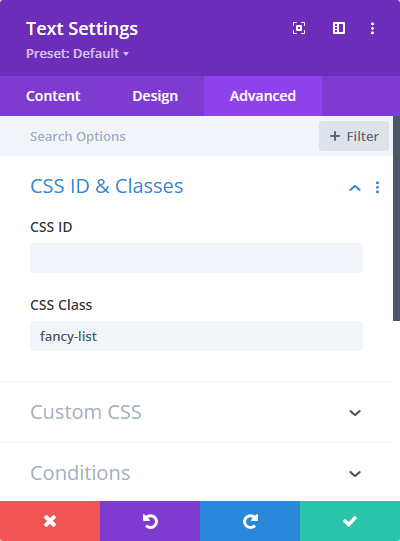
- A basic numbered list.
- Edit or remove this text inline or in the module Content settings.
- You can also style every aspect of this content in the module Design settings.
- Even apply custom CSS to this text in the module Advanced settings.
- A bullet points type list.
- Edit or remove this text inline or in the module Content settings.
- You can also style every aspect of this content in the module Design settings.
- Even apply custom CSS to this text in the module Advanced settings.
